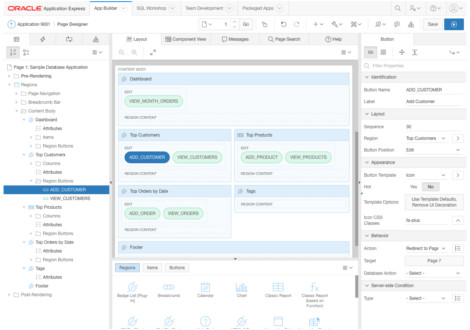
If found this piece of code on the Oracle forums (https://forums.oracle.com/forums/thread.jspa?threadID=444808). While I was searchning on a solution for a client which APEX site was down with a 404 error (/apex/f not found).
It enables the epg debug, so it does a more detailed debug:
SQL> exec dbms_epg.set_dad_attribute('APEX', 'error-style', 'DebugStyle')
remember to turn it off afterwards:
SQL> exec dbms_epg.delete_dad_attribute('APEX', 'error-style')
Route traffice on port 80 to port 8080 in Linux. Useful voor running Oracle XE on port 80, which is normally not authorized to. Run as root:
# iptables -A PREROUTING -t nat -i eth0 -p tcp --dport 80 -j REDIRECT --to-port 8080 # iptables-save
select substr(
'dit is een test bla die bla' || ' '
, decode(
level-1
, 0
, 1
, instr(
'dit is een test'|| ' '
, ' '
, 1
, level-1
) + 1
)
, instr(
'dit is een test bla die bla'|| ' '
, ' '
, 1
, level
) -
decode(
{syntaxhighlighter brush: plsql;fontsize: 100; first-line: 1; }select substr( 'dit is een test bla die bla' || ' ' , decode( level-1 , 0 , 1 , instr( 'dit is een test'|| ' ' , ' ' , 1 , level-1 ) + 1 ) , instr( 'dit is een test bla die bla'|| ' ' , ' ' , 1 , level ) - decode( lev
create or replace
function f_get_eerste_regel(p_txt varchar2, p_max_chr number :=30) return varchar2 is
--
v_newline number := least ( instr(p_txt,chr(10)) , instr(p_txt,chr(13)) );
--
begin
--
if v_newline = 0 then
v_newline := p_max_chr;
end if;
--
return substr(
p_txt
, 1
, least(v_newline,p_max_chr)
);
--
end;This software generates QRCode http://en.wikipedia.org/wiki/QR_Code. The use of QR codes is free of any license. QRCode is a barcode readable by most mobiles. You can store information in this barcode, fo example an URL.
The QRCode php code is originally written by Y.Swetake. The function getQRCodeLocation is based on the work of Anton Shevchuk. See the copyright message information in barcode/QRcode.php for details.
Usage example:
After you have installedAPEX on your database with Oracle http webserver / Apache as webserver, your APEX installation will be accesible from port 7777 by default. As this is not the standard http port, you might want to change that to 80, which is.
Locate the file httpd.conf in your apache installation (<ORACLE_HOME>/APACHE/CONF). Search for the text:
#Listen 3000 #Listen 12.34.56.78:80
After this text, insert the following:
If you are on a server, downloading from the oracle site might be hard as you need a username and password. The following command will download from the Oracle site:
wget http://download.oracle.com/... --http-user=<otn username> --http-password=<otn password>
A important part of the reprap machine are the three motors. They move the different axis (x,y,z), making the printer print. Actually, there is another motor for the extruder, but we ignore that one for a while. To control the motors the reprap requires stepper motor drivers. So I thought it would be a good idea to start with them. I bought the PCB's from ebay and ordered the required items from RS and farnell. It is actually quite hard to get the right stuff, as a lot of components differ slightly.
Many users will complain about their prints when they find out that their tables are spread over multiple pages, without repeating the headers. Most software will fix this automaticly, but not browsers. You can, however, fix this with some simple CSS:
<STYLE type="text/css">
THEAD { display: table-header-group; }
TFOOT { display: table-footer-group; }
</STYLE>Two functions returning the first day of the year and the last day of the year.
create or replace
function GetStartOfyear(p_date date := sysdate) return date as
begin
return trunc(to_date('01/01/' || to_char(p_date, 'yyyy'), 'dd/mm/yyyy'));
end;
/
create or replace
function GetEndOfyear(p_date date := sysdate) return date as
begin
return trunc(to_date('31/12/' || to_char(p_date, 'yyyy'), 'dd/mm/yyyy'));
end;
/
Theme by Danetsoft and Danang Probo Sayekti inspired by Maksimer